 Albanija
 Argentina
 Australija
 Austrija
 Belgija
 Bosna i Hercegovina
 Brazil
 Bugarska
 Crna Gora
 Danska
 Estonia
 Filipini
 Finska
 Francuska
 Grčka
Grčka
 Hrvatska
 Irska
Irska
 Italija
 Južna Afrika
 Kanada
 Kolumbija
 Letonija
 Litvanija
 Luksemburg
 Mađarska
 Meksiko
 Moldavija
 Nemačka
 Nizozemska
 Norveška
 Novi Zeland
 Poljska
 Portugal
 Rumunija
 Severna Makedonija
 Sjedinjene Američke Države
 Slovačka
 Slovenija
 Srbija
 Turska
 Ujedinjeno Kraljevstvo
 Ukrajina
 Češka
Češka
 Čile
Čile
 Španija
 Švajcarska
 Švedska



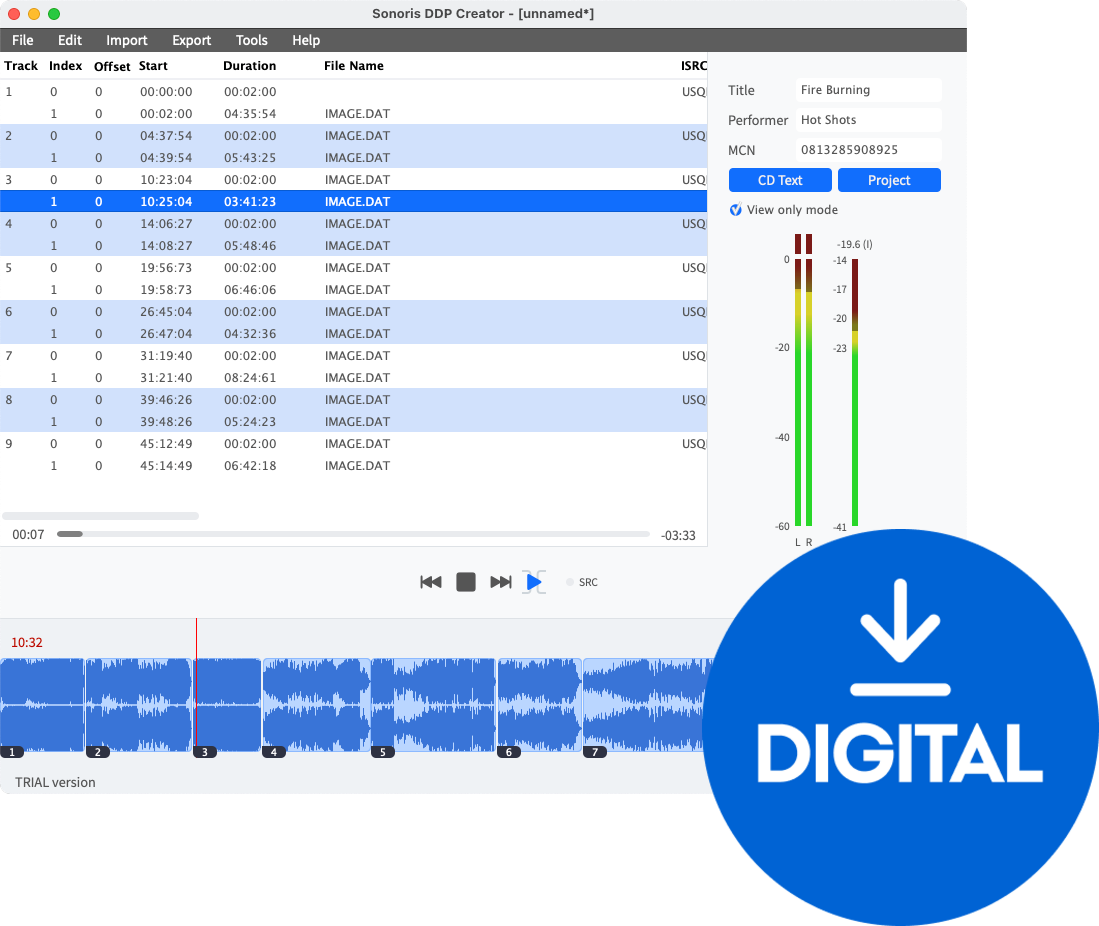


Sonoris DDP Creator Standard (Digitalni proizvod)
Sonoris DDP Creator
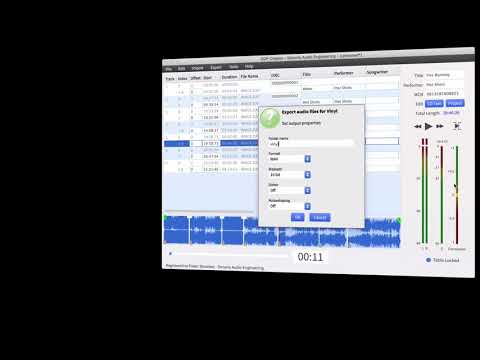
The Sonoris DDP Creator is an intuitive application designed for creating high-quality audio masters that are compatible with virtually any Digital Audio Workstation (DAW). Whether you're producing professional Red Book-compliant CDs or vinyl masters, this software allows you to seamlessly import and export DDP 2.00 images and Cue Sheet files, burn and rip CDs, and share your masters via cloud services.
CD Authoring
Easily assemble a Red Book compatible CD by dragging and dropping mastered 16-bit WAV or AIFF files into the workspace. Set the track order, adjust the spacing between tracks, and audition transitions between them. You can also edit PQ points, ISRC, MCN, and CD-Text data before exporting to DDP, Cue Sheet, or CD, and even print a PQ sheet if necessary.
DDP Export
The DDP Creator simplifies the process of exporting DDP files. Just drop your mastered audio files into the workspace, set the track order, and make any necessary adjustments. Once you're satisfied, export your project to DDP, Cue Sheet, or burn it to a CD.
DDP Import
In addition to exporting, the DDP Creator can import DDP filesets from other software, such as Bias Peak Studio, Sonic Studio HD, SADiE, Sequoia, or Pyramix. This feature enables you to review and edit projects, including all PQ codes, ISRC, MCN, and CD-Text data, and then export to DDP or burn a Red Book compatible CD.
Compatibility
Unlike many DDP software packages that come with a hefty price tag, the DDP Creator is affordably priced and offers powerful import features. It’s the ideal solution for anyone needing professional CD authoring and DDP capabilities without switching DAWs. For instance, if you've created a CD in your preferred audio editor but need to deliver a DDP fileset, simply add audio files or utilize one of the robust import options.
Enhanced CD
An Enhanced CD (also known as CD Extra or CD Plus) can hold not only audio data but also computer files such as images, videos, and program files. The DDP Creator supports the extra session format, allowing you to add data before the first track or as a separate session. When played in a standard CD player, it functions like any audio CD, but when accessed on a Windows PC or Mac, it reveals the data session as an additional drive.
Never Clip Again
When encoding audio to formats like MP3 or AAC, clipping can occur even if the original audio is clean. The DDP Creator employs No Clip Technology to prevent this by adjusting pre-encoder attenuation dynamically, ensuring your audio remains distortion-free.
iOS App
Included with the DDP Creator is an iOS version of the DDP Player. Simply download the free app from the Apple App Store and unlock it using your serial number. The DDP Player for iOS supports easy DDP file imports via DropBox.
Features
- Supports import and export of .wav, .aif, .flac, and .m3u files
- Sample rates from 44.1 kHz to 96 kHz
- Add and edit ISRC, MCN, and CD Text
- Adjust and playback transitions between tracks with pre-roll
- Cue Sheet support
- CD Architect .cda CD image support
- Audio CD import (ripping)
- MD5 checking
- PQ Sheet .pdf export with additional project fields
- Edit functionality for moving and trimming wave objects
- Peak meters
- Easy online license activation
- MP3 and AAC encoding up to 320 kbps
- High-quality sample rate conversion
- Add and edit track indices, including during playback
- Export DDP 2.00 image files
- Undo and redo functionality
- CD Text binary file import and export
- Data CD/DVD burning
- MD5 checker executable included
- Safe FTP uploading of DDP images
- Replace source audio files for revisions
- USB drive-based license activation for offline use
- Support for 24 and 32-bit files
- Re-order tracks easily
- Playback of individual tracks or entire projects
- Import DDP 1.0x and 2.00 image files
- Pyramix .pmi CD image support
- Audio CD burning capabilities
- Automatic creation of MD5 checksum files
- Red Book compliance checking
- Waveform display with zooming
- Reading ISRC codes embedded in .wav files
- Automatic updates
- Universal iOS version of the DDP Player with DropBox support
Додатне информације

Trajanje licence
Download
Podržani formati plug-ina
Standalone
Licenca
Sistemski zahtevi
Windows 7 <, Mac OSX 10.11
Frekvencija uzimanja uzoraka
Hardverski zahtevi
4 GB RAM, Apple Silicon
Dokumenti
Bezbednosna uputstva
Pogledaj uputstvo za upotrebu za detaljna bezbednosna uputstva za ovaj proizvod.


